Let your subscribers send you gifts and extras
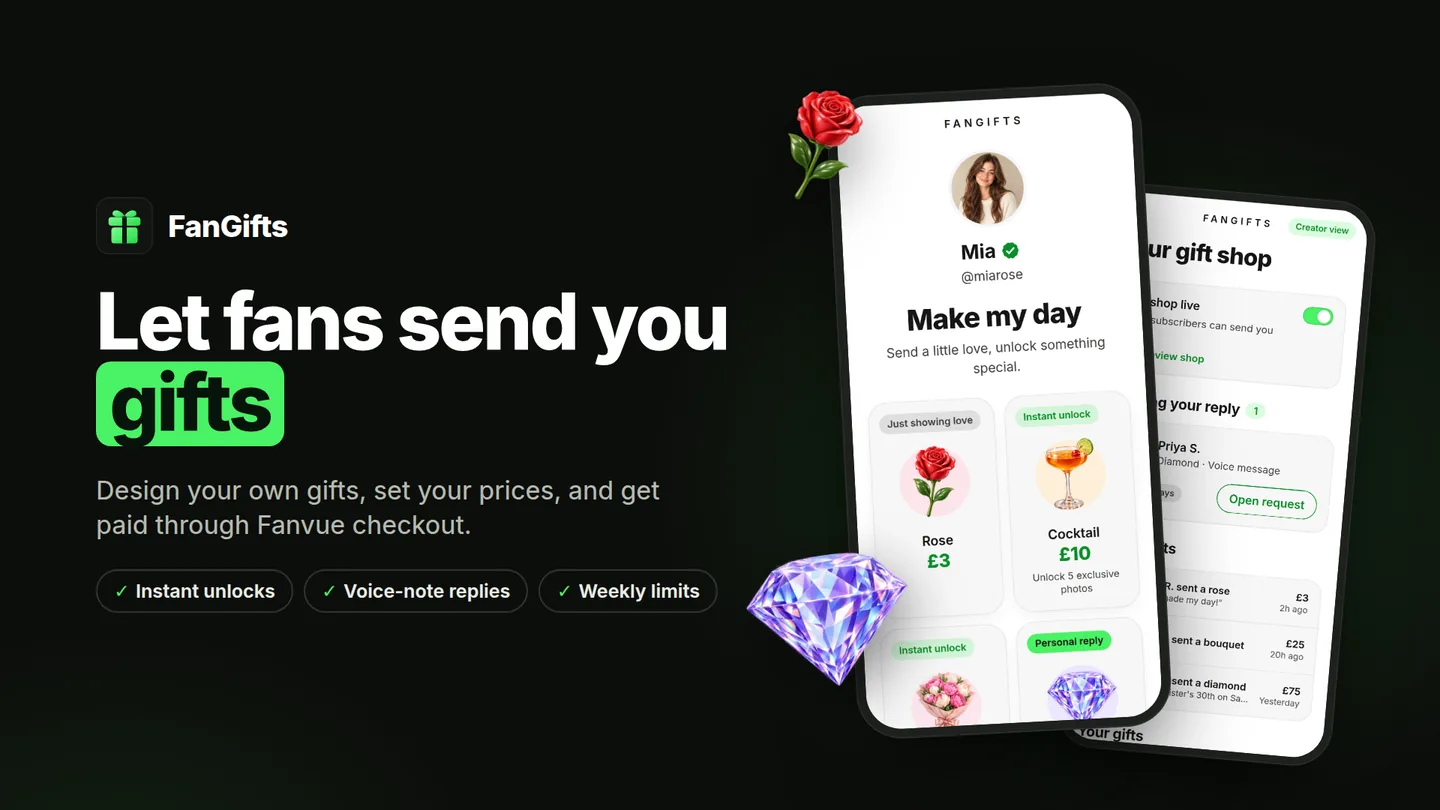
FanGifts adds a gift shop to your Fanvue profile. Design your own gifts, set your prices, and get paid through Fanvue checkout. Each gift can unlock content instantly or ask you for a personal voice note.
Free for creators. Fans pay for gifts through Fanvue checkout.
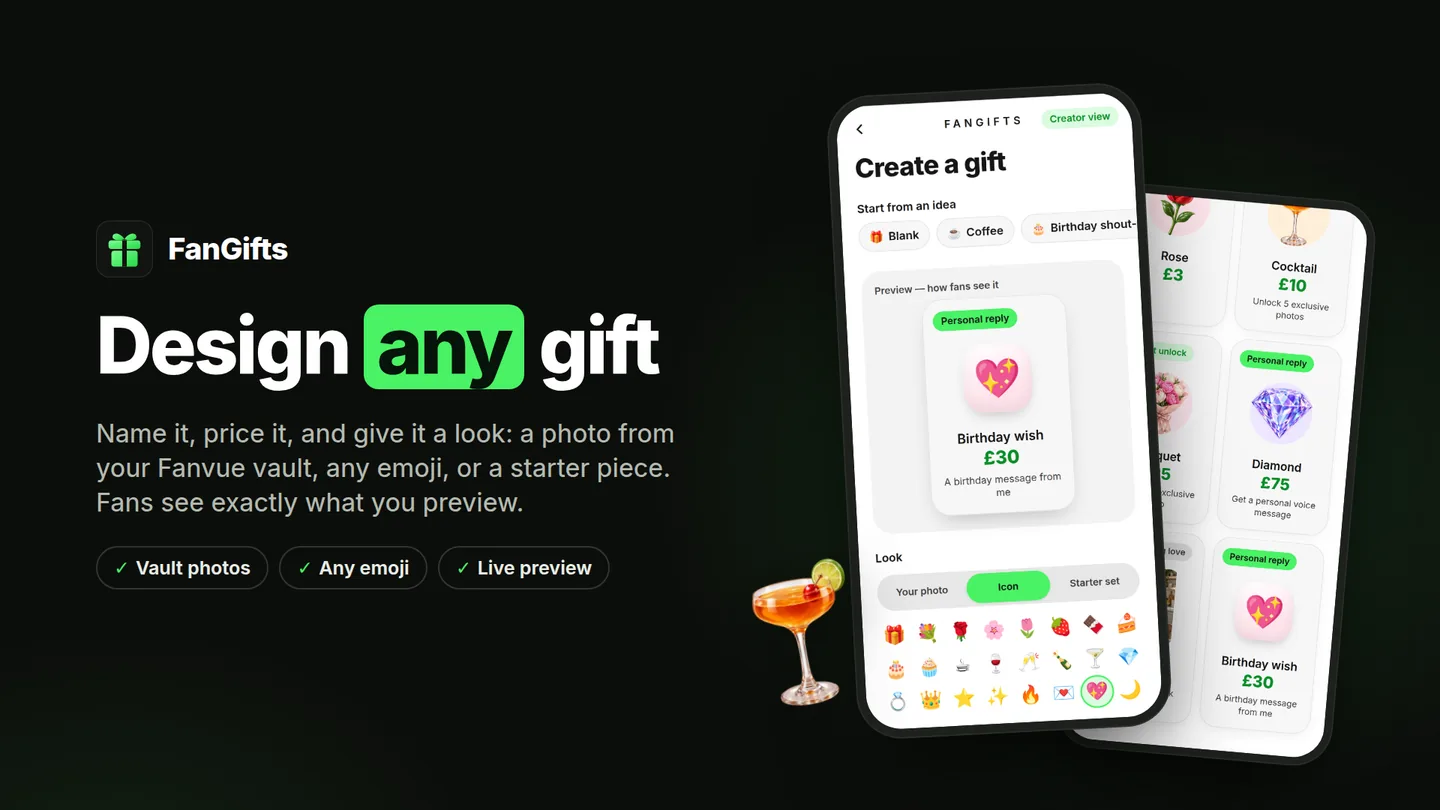
Design any gift
Name it, price it and give it a look: a photo from your Fanvue vault, any emoji, or a starter piece. Fans see exactly what you preview.
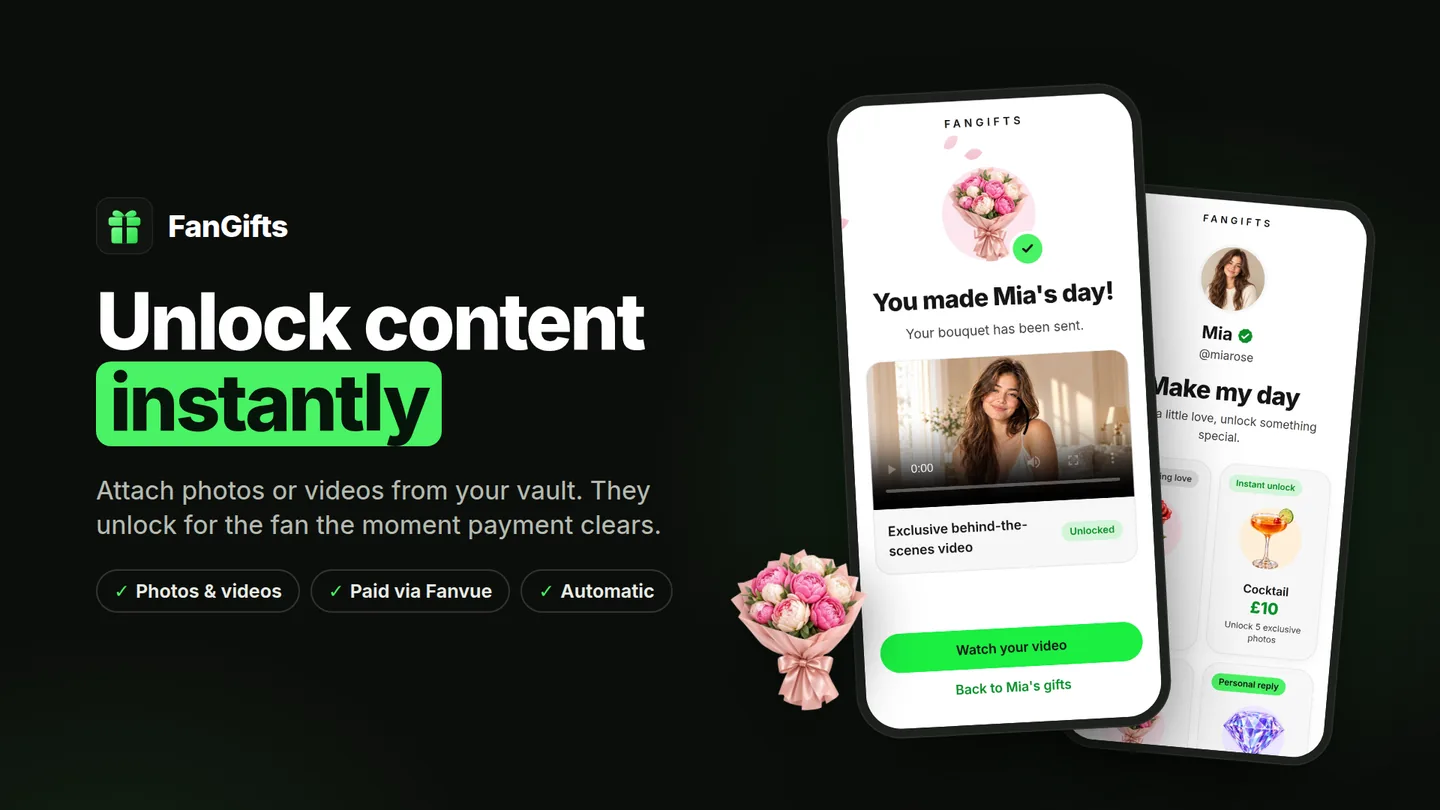
Unlock content instantly
Attach photos or videos from your vault. They unlock for the fan the moment payment clears, with nothing to send by hand.
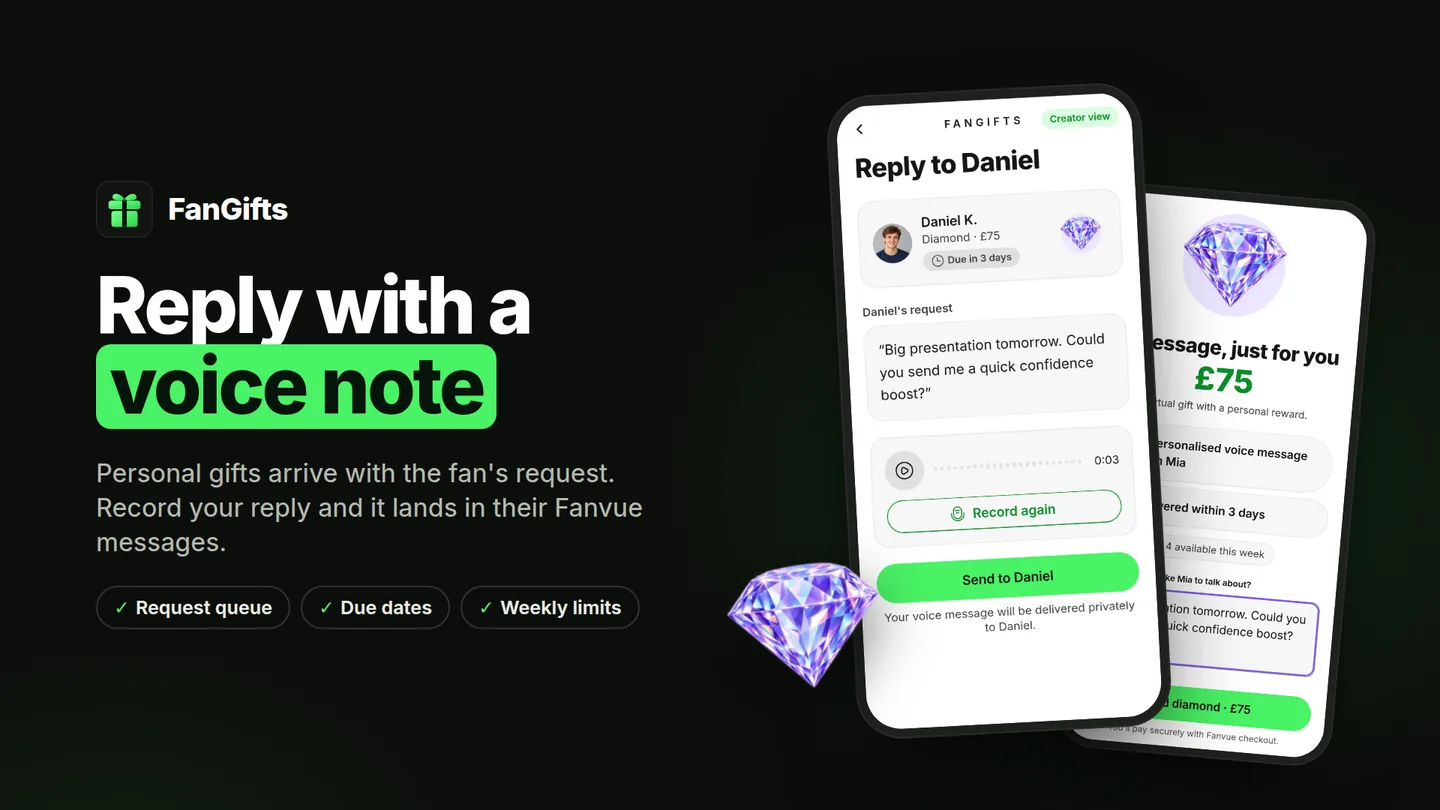
Reply with a voice note
Personal gifts arrive with the fan's request and a due date. Record your reply and it lands in their Fanvue messages.
How it works
- Step 1InstallOpen FanGifts from the Fanvue App Store and approve access.
- Step 2DesignAdd gifts, choose rewards, and set weekly limits for personal replies.
- Step 3PublishTurn on your shop. Your subscribers find it on your Fanvue profile.
- Step 4Get giftsFans pay through Fanvue checkout. You reply to requests from your queue.